Next-generation technology. Enterprise-scale compute.
Technical resourcesTrack your quote
SOLUTIONS / APPLICATIONS TO INFRASTRUCTURE

The right system starts with the right questions.

Connect your software, model and deployment goals to a practical hardware plan. From one workstation to a shared GPU environment, define the workload before the parts.

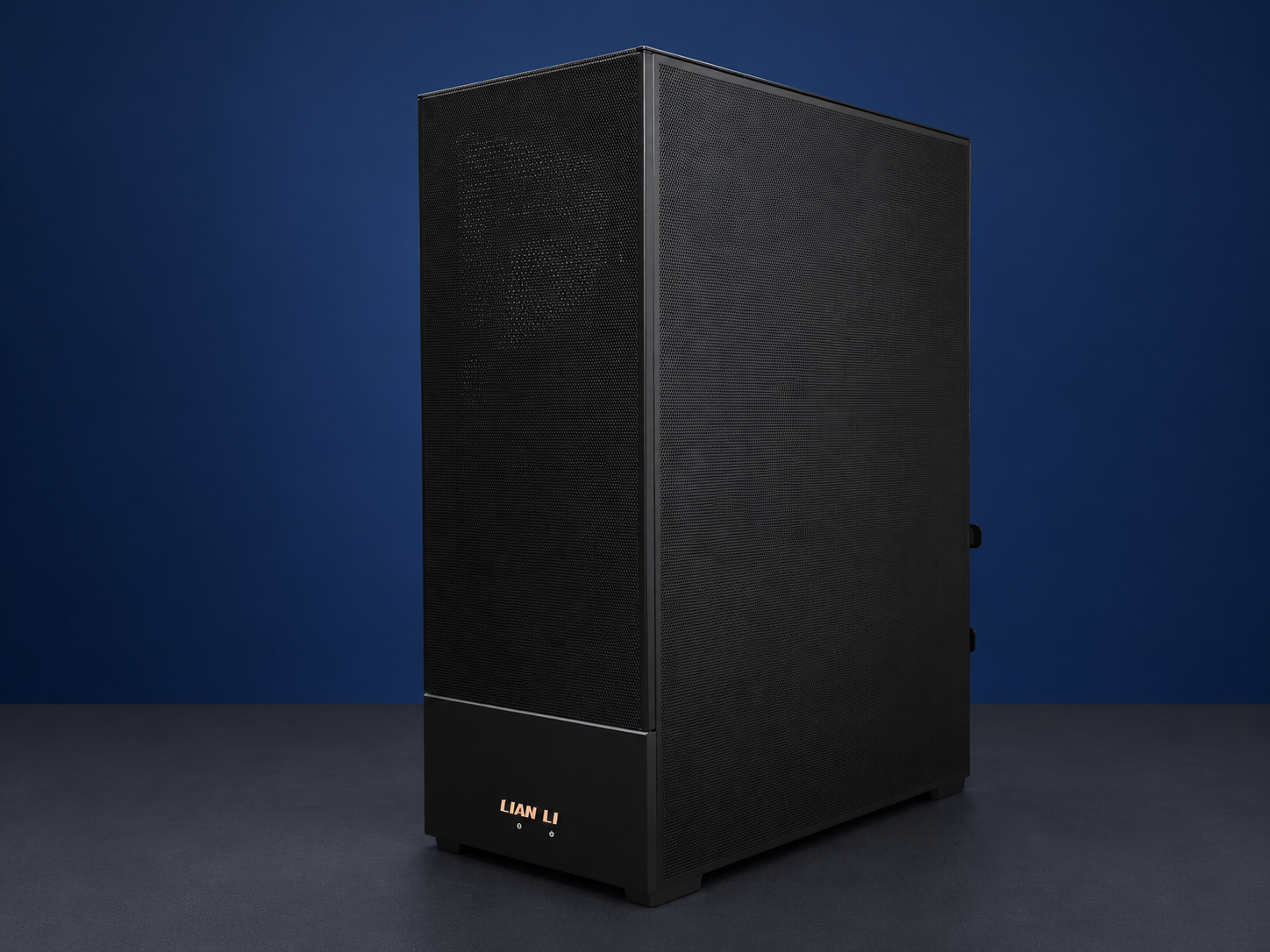
Photograph of a black workstation tower with an edited studio background
Illustrative workstation photo; final chassis and components vary. Andrey Matveev / Unsplash; background edited.
01

Workload

Applications, model sizes, precision and concurrency.

02

Infrastructure

GPU memory, host RAM, storage and network topology.

03

Validation

Representative tests and clear acceptance criteria.

APPLICATION & WORKLOAD ADVISOR

Tell us what you want to run.

Use your own words, then add a few practical details. See a preliminary direction and the assumptions behind it.

STEP 1 OF 3

What will you use it for?

Use your own words. Application names, versions and the problem you want to solve are the best place to start.

Primary work type *
EXPLORE BY WORKLOAD

Different workloads. Different priorities.

01 / SOLUTIONS

Custom workstation computers

NexTec builds workstations for local AI, engineering and CAD, content creation and other professional workflows. Start with the applications, project sizes and workspace requirements, then review a compatible complete-system proposal.

  • CPU, motherboard and memory qualification as one platform
  • Exact GPU edition, slot layout, power and cooling review
  • Storage, displays, connectivity, software and support requirements
Plan a custom workstation
02 / SOLUTIONS

AI, LLMs & private enterprise AI

Plan training, fine-tuning, inference, retrieval, and private AI around your model and service requirements. The same GPU count can produce very different results across applications.

  • Model size, precision, context window, and KV-cache planning
  • Throughput, latency, concurrency, and representative evaluation workloads
  • Data locality, access control requirements, and software entitlements
Explore RTX PRO compute
03 / SOLUTIONS

HPC, simulation & scientific research

Engineering solvers and research applications need the right precision, memory bandwidth, and interconnect. Compare supported platforms using your actual code and dataset.

  • FP64 versus FP32 or mixed-precision requirements
  • Solver licensing and GPU acceleration support
  • Cluster scheduling, shared storage, and measured scaling
Explore H200 platforms
04 / SOLUTIONS

Rendering, visualization & analytics

Scope systems for 3D rendering, digital twins, engineering visualization, and GPU-accelerated data analytics.

  • Scene and dataset memory requirements
  • GPU rendering engine, driver, and application compatibility
  • Data ingestion, local NVMe scratch, and concurrent users
Explore accelerators
05 / SOLUTIONS

Cloud GPU & data-center infrastructure

Build a deployment plan for GPU service offerings, enterprise capacity, or a research cluster. Think through provisioning and facility readiness before the first rack arrives.

  • Compute, storage, management, and customer network separation
  • Tenant isolation and supported virtualization or partitioning
  • Pilot acceptance, phased delivery, spares, and repeat procurement
Plan recurring infrastructure supply
BEYOND A PARTS LIST

Make the software plan explicit.

For local AI, identify the model, quantization, serving engine and access controls. For engineering or rendering, specify the application version, plug-ins and any certification requirements.

  • Deployment recipes are scoped to your chosen OS, drivers and framework.
  • Performance claims require the exact model, settings and measured test results.
  • Application support and infrastructure support have separate owners.
Define integration and validation
LET’S BUILD WHAT’S NEXT

Your workload. Our starting point.

Tell us what you’re building. We’ll help scope the infrastructure.

Request a quote